Apple Health, explained
See what changed.
Ask what it means.
Vitara turns Apple Health and Apple Watch signals into clear trends, local explanations, and privacy-first AI insight.
Available now on the App Store · iOS 17+ · Privacy first
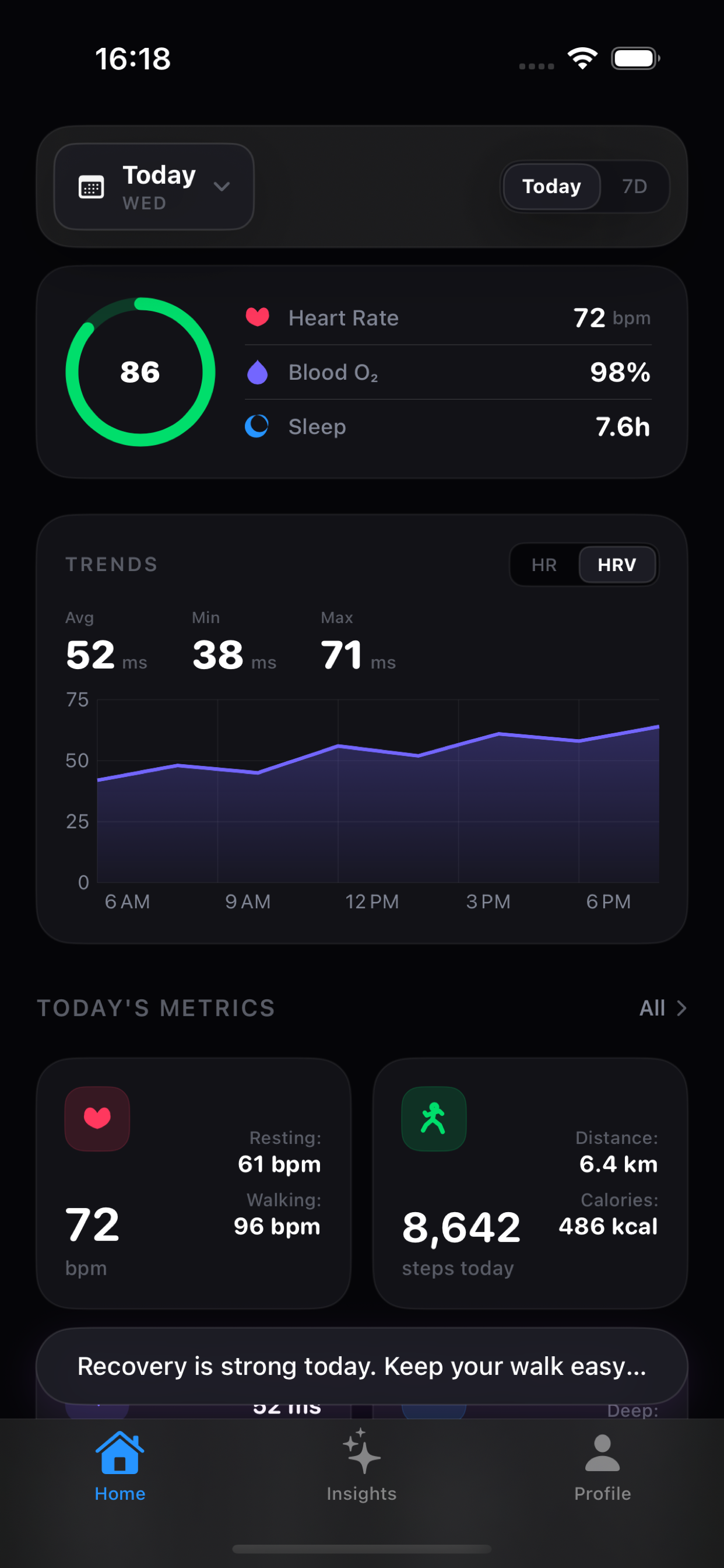
01 - Dashboard First
Your health signals, explained before AI.
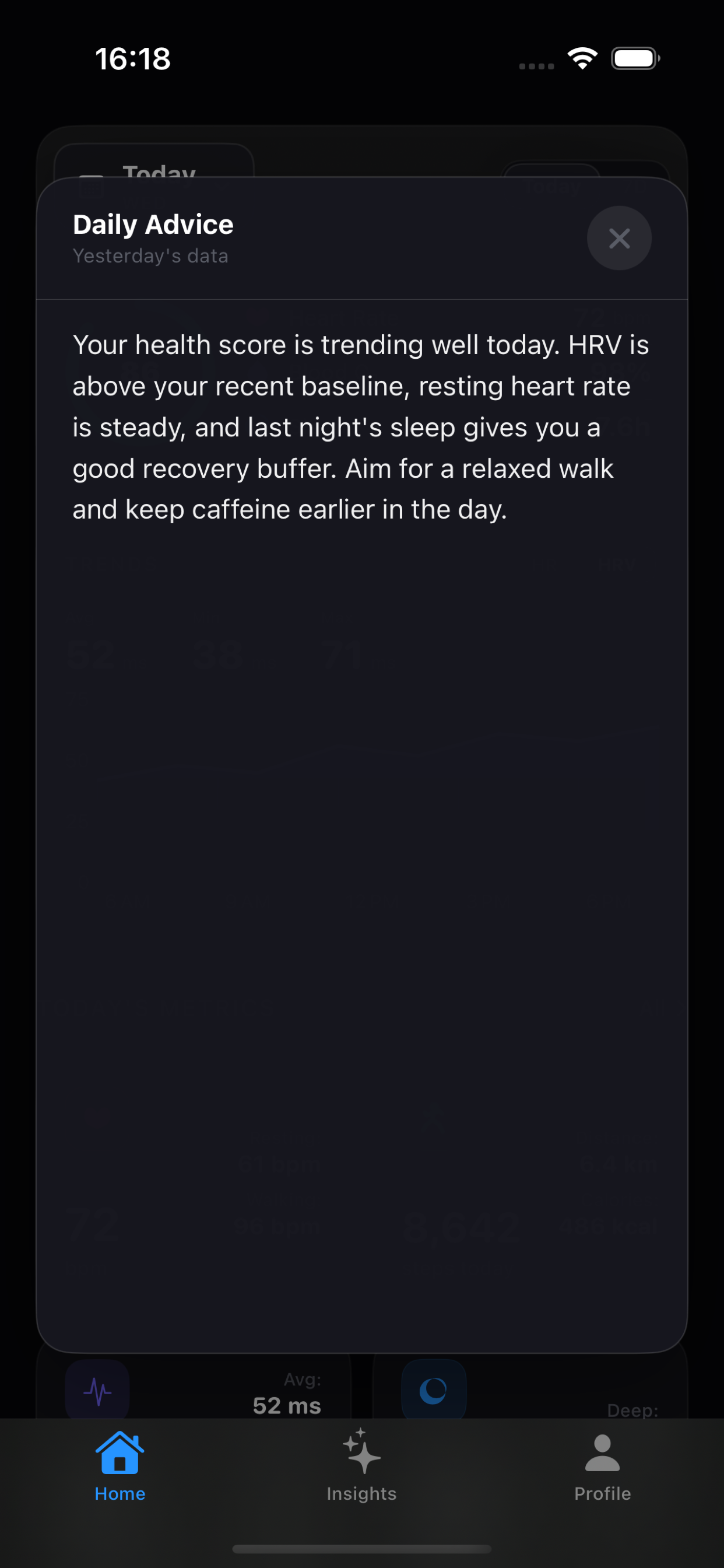
Vitara starts with a local dashboard: one large score, a red-yellow-green score calendar, exertion-aware metric cards with trend context, readable signal breakdowns, and a What changed explanation that works before any AI request leaves the device.
Your exertion is steady while HRV is improving. Keep effort controlled and protect recovery.
See What Changed Before You Ask AI
The dashboard highlights exertion, recovery, and the strongest Health trend locally, so you can understand the latest movement before opening a detail screen or starting an AI chat.
- Local deterministic trend explanations
- Exertion score from activity load and HRV response
- HRV context calls out Apple Health source, SDNN method, and measurement window
- Signals view breaks out active energy, workout load, HRV, and resting heart rate
- Compares current data with recent baselines
- Works without Pro, network access, or an AI endpoint
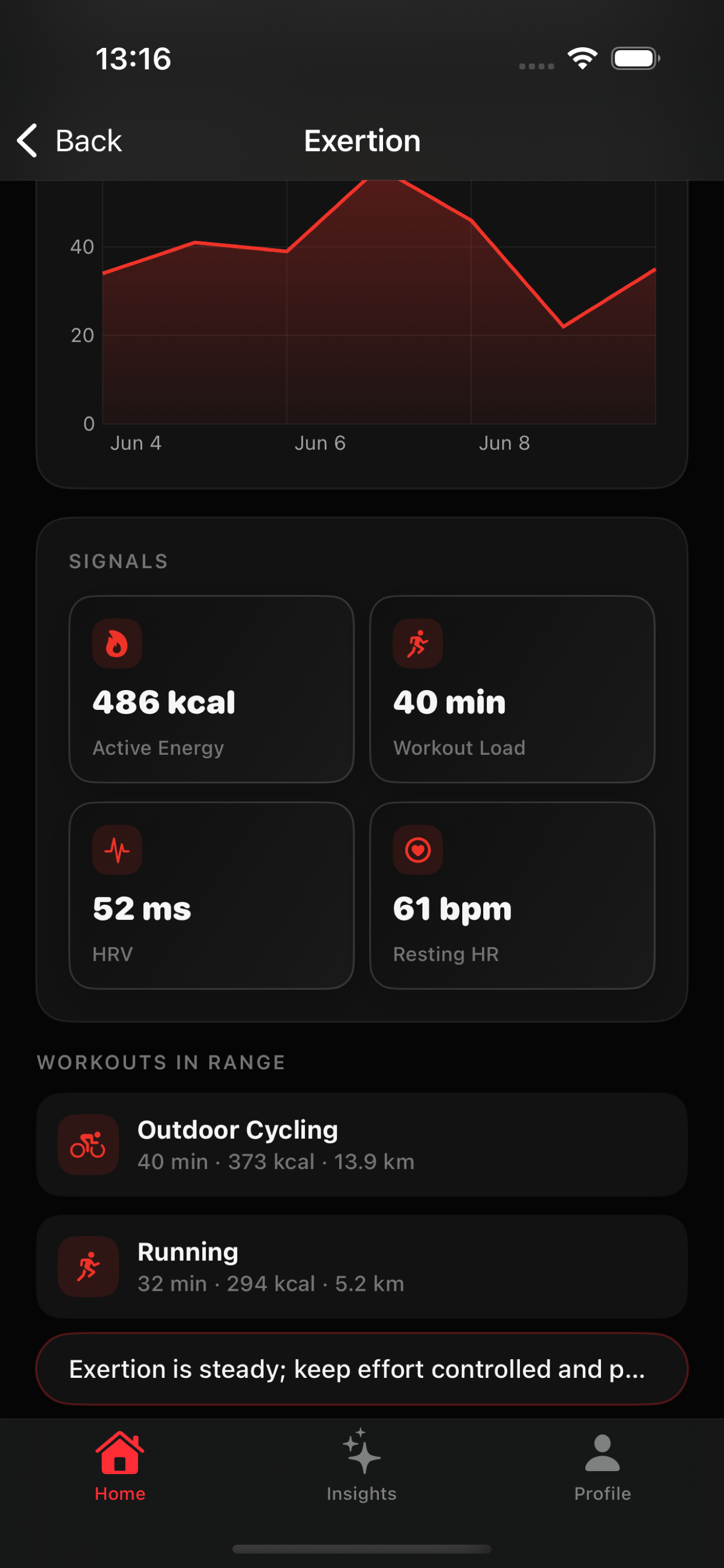
Scan Score Days at a Glance
Open the date picker to compare daily Health Scores with red, yellow, and green rings for low, medium, and high days.
- Daily score rings use low, medium, and high status colors
- Tap any day to reload dashboard metrics for that date
- Works locally from Apple Health trend data
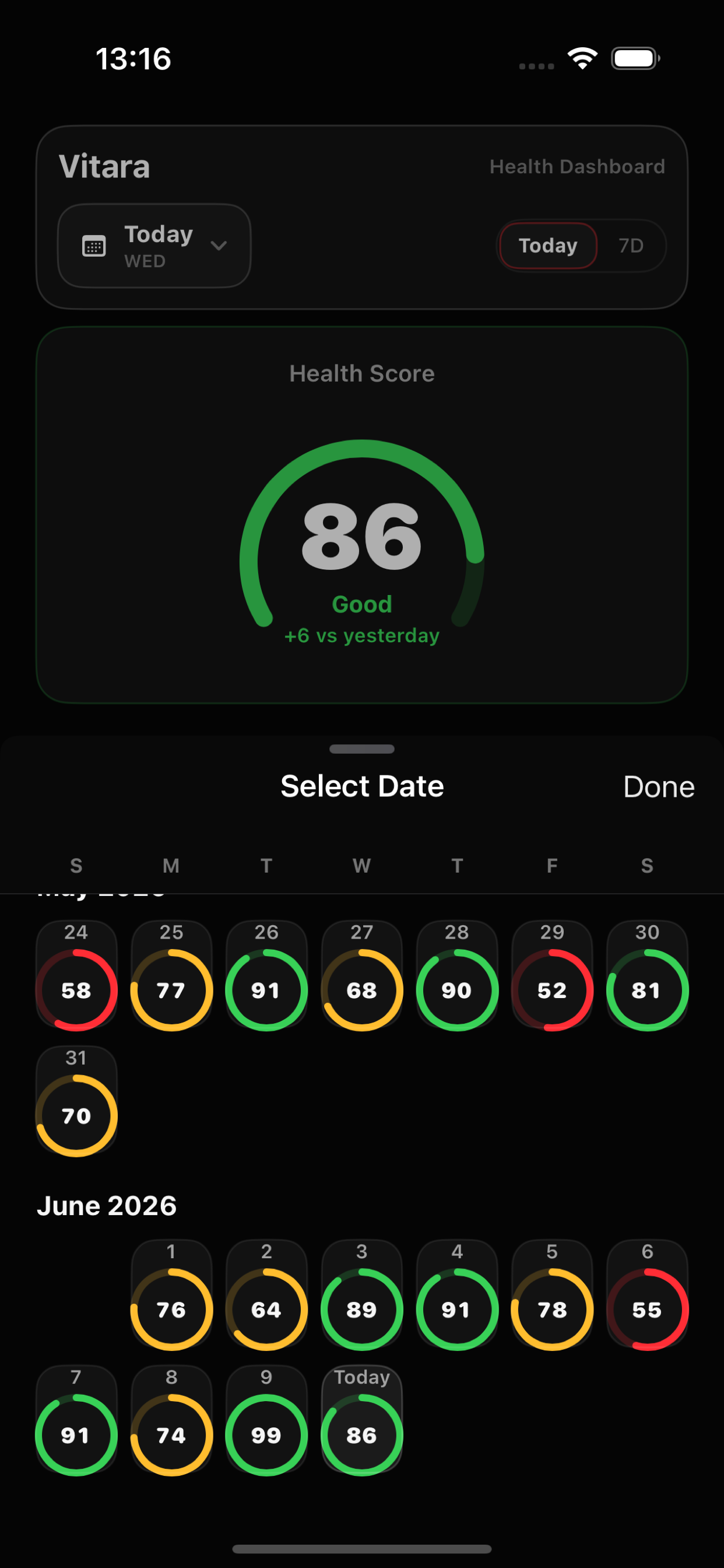
Daily Advice and Insight Bubbles PRO
Open contextual AI summaries from the dashboard and supported detail screens, grounded in recent Apple Health trends, new workouts, and your enabled Memory.
- Dashboard, exertion, and metric-level insight bubbles
- HRV insight prompts keep source, method, and window visible before readiness guidance
- Cached summaries that refresh when workout, heart-rate, or HRV signals meaningfully change
- Available with Vitara Pro
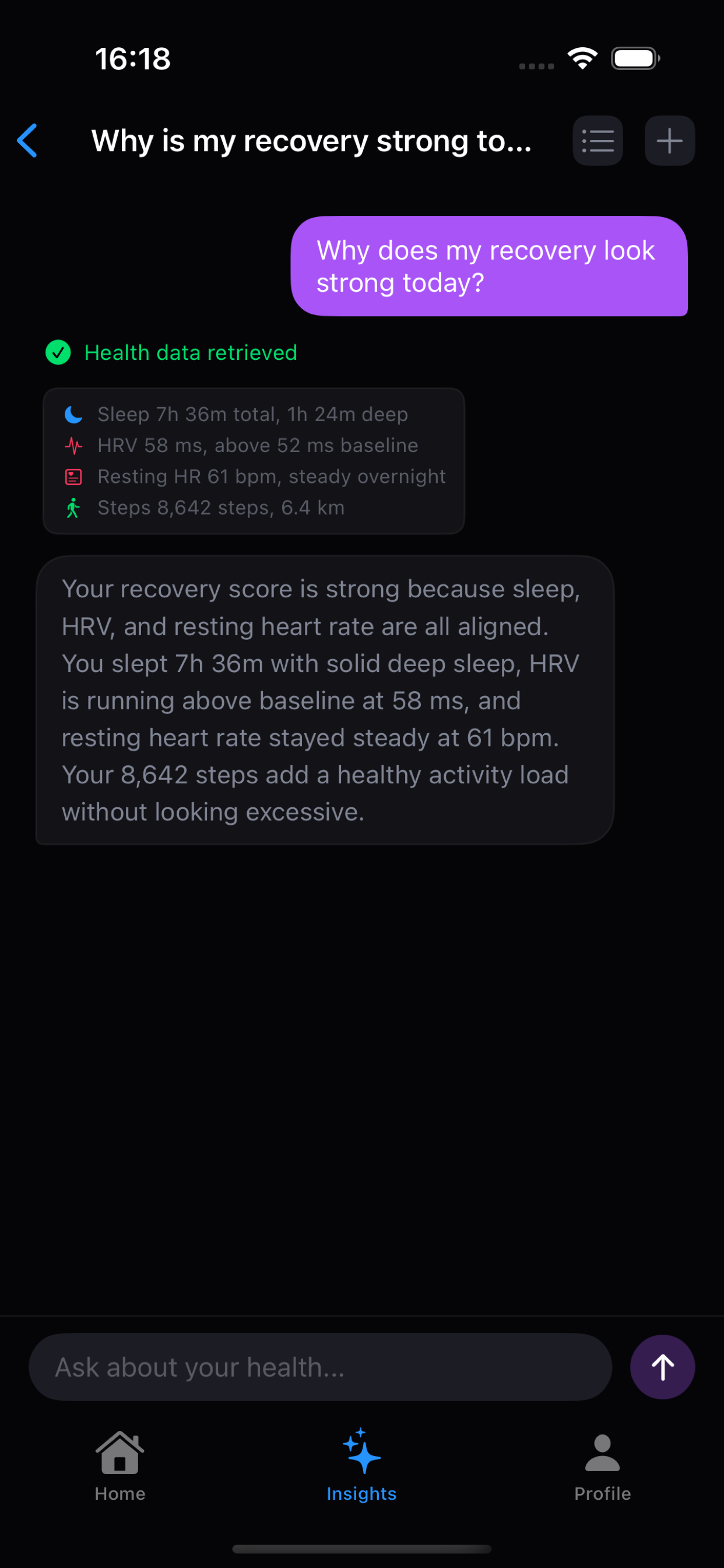
Ask About Your Health in Plain English
"Why is my recovery strong today?" — the AI agent queries Health data and explains the result.
Templates, Metric Scopes, and Language Control
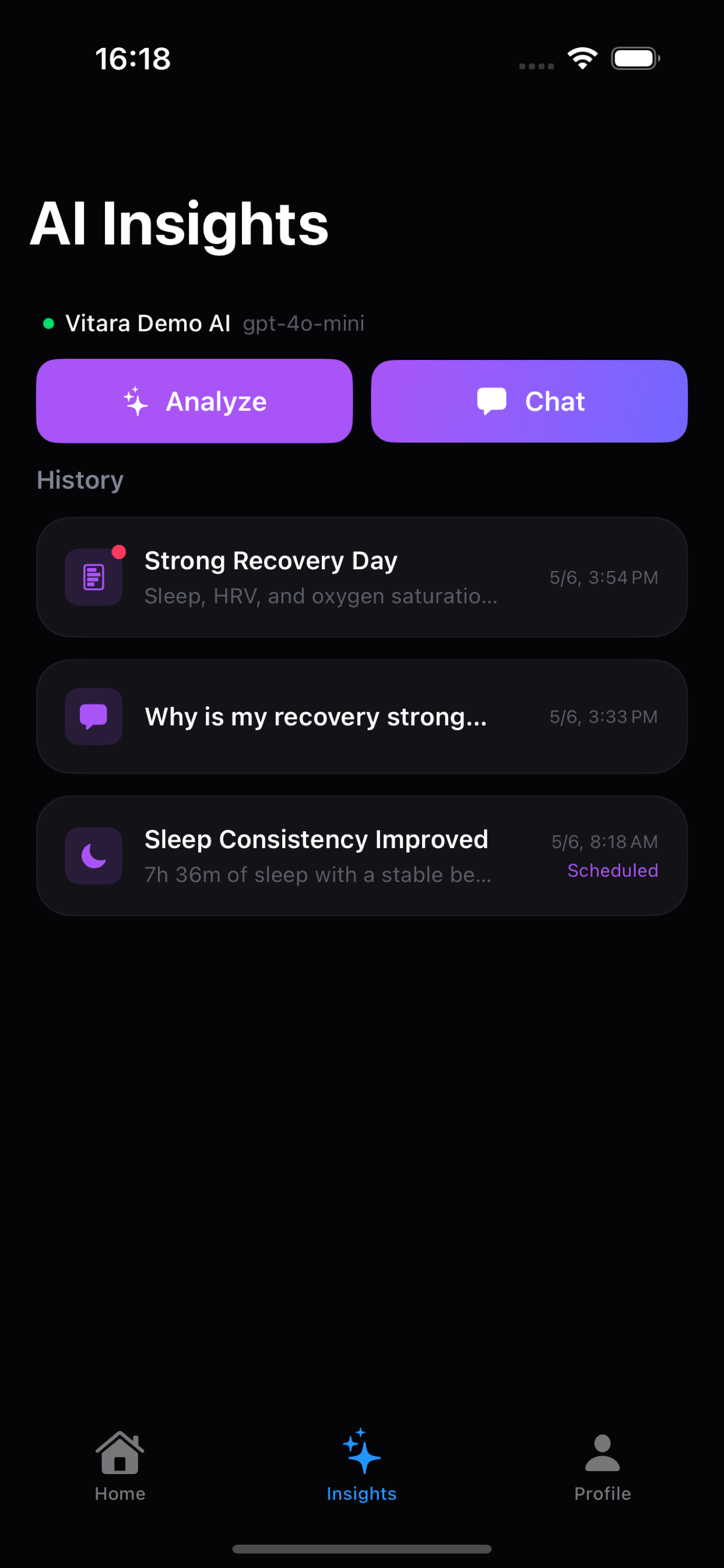
Run structured analyses for sleep, HRV, recovery, focus windows, and weekly summaries, then choose the response language and the Health metrics custom templates can read.
- Built-in templates for common health questions
- AI response language applies across templates, chat, and insights
- Search and filter analysis plus chat history by type or date range
- Pro custom templates support selectable Health metrics
- Data-backed output sections with clear confidence notes
Memory for Personalized AI
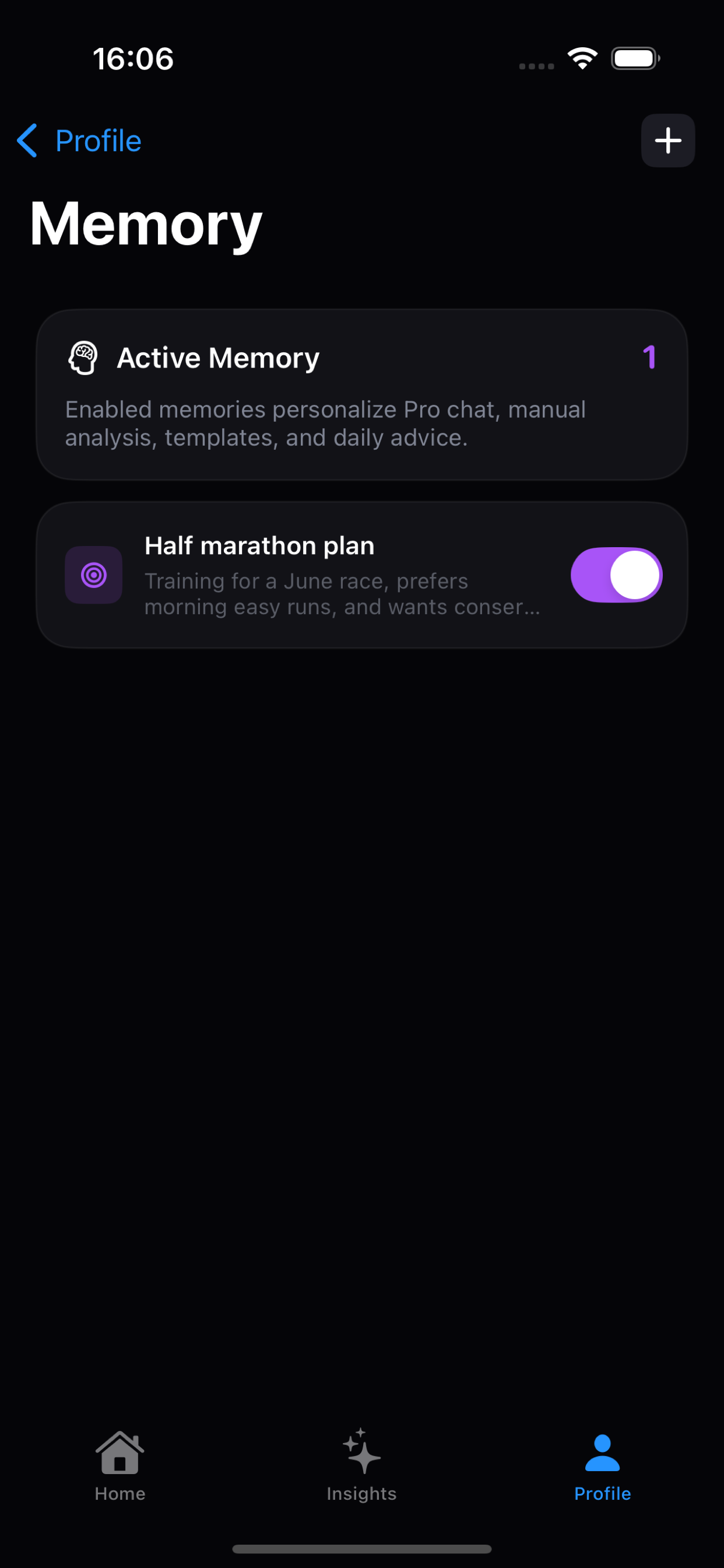
Store goals, preferences, training context, and personal constraints so AI answers understand what matters to you.
- Manual Memory is available on Free and Pro
- Pro chat can auto-save memories when requested or when useful
- Each memory can be enabled, disabled, edited, or deleted
Scheduled Analysis Windows PRO
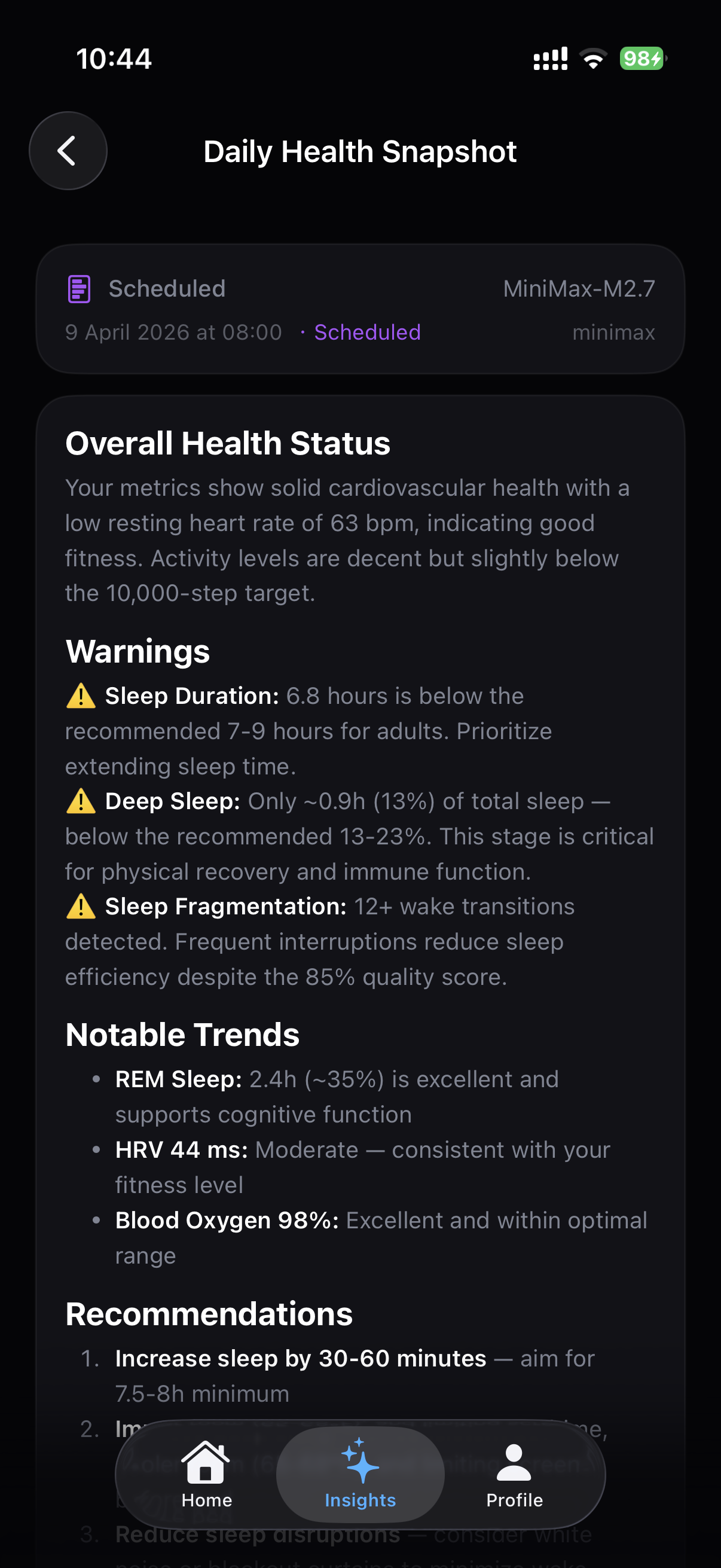
Choose a morning or afternoon window for recurring daily or weekly analysis, then get a notification only after the summary is ready.
- Daily or weekly background analysis
- Morning and afternoon schedule windows
- Available with Vitara Pro
Provider and Privacy Controls
Use Apple Intelligence on supported devices, or choose an OpenAI-compatible endpoint with clear recipient disclosure and Keychain-secured API keys.
- Apple Intelligence on supported devices
- Optional OpenAI-compatible endpoints
- Custom endpoint consent and revocation controls
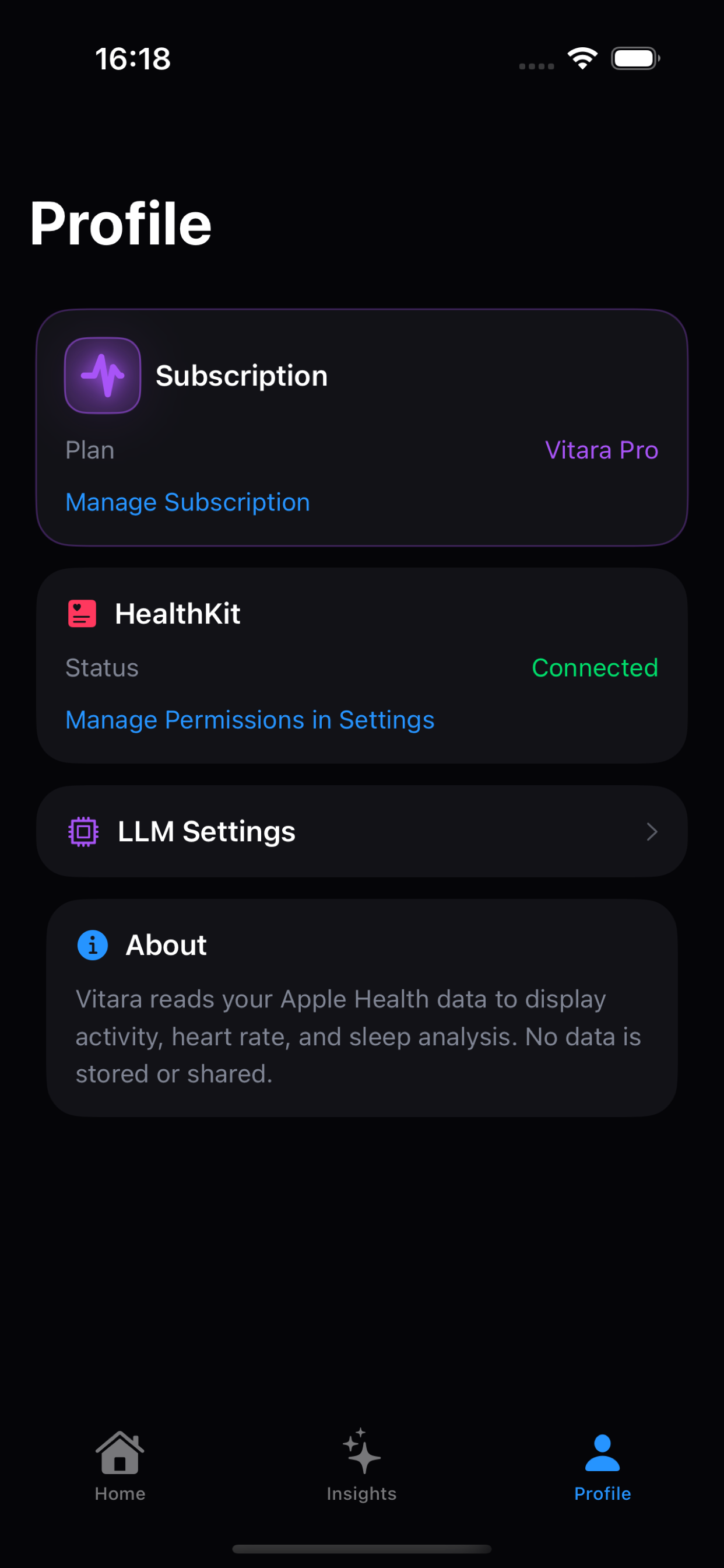
Get Started in 3 Steps
Connect Health, choose AI, then read the changes
Authorize Apple Health
Grant read access to the HealthKit metrics you want Vitara to summarize
Choose AI Controls
Use Apple Intelligence where available, or add a trusted OpenAI-compatible endpoint
Review and Ask
Read local What changed trends, run templates, and ask questions in natural language
Choose Your Plan
Free
Use the core dashboard, AI analysis, templates, chat, Memory, and searchable history without a subscription.
- 7+ Health Metrics Dashboard
- Unlimited Manual AI Analysis
- Built-in Analysis Templates
- Natural Language Health Q&A
- Manual Memory
- AI Response Language Preference
- Apple Intelligence & Custom AI Providers
- Searchable Analysis & Chat History
- Exertion / Heart Rate / Activity
Pro
Local pricing and trial availability are shown by the App Store before purchase.
- Everything in Free
- AI Insight Bubbles, including Exertion
- Custom Template Builder
- Chat Memory Auto-Save
- Scheduled Analysis Windows
- Advanced History Workflows
Why Choose Vitara
| Feature | Vitara Free | Vitara Pro | Apple Health | Other AI Health Apps |
|---|---|---|---|---|
| Manual AI Analysis | Unlimited | Unlimited | ||
| Built-in Analysis Templates | Partial | |||
| Custom Template Builder | Partial | |||
| AI Insight Bubbles | Partial | |||
| Manual Memory | Partial | |||
| Chat Memory Auto-Save | Partial | |||
| AI Response Language | Partial | |||
| Health Data Q&A | Partial | |||
| Local Dashboard Processing | Partial | |||
| Local Exertion Signals | Partial | Partial | ||
| Apple Intelligence Support | Partial | |||
| Custom AI Provider Control | ||||
| Scheduled Analysis Windows | Partial | |||
| Searchable History Access | 30 days | |||
| Advanced History Workflows | Partial | |||
| Price | Free | US$6.99/mo | Free | From $19.99/mo |
Frequently Asked Questions
Vitara Free includes the Apple Health dashboard, local exertion and What changed explanations, unlimited manual AI analysis, built-in templates, natural-language health Q&A, manual Memory, AI response language preferences, flexible AI provider support, and searchable analysis plus chat history.
Vitara Pro unlocks contextual AI insight bubbles across the dashboard, exertion, and supported metric detail screens, custom template builder, chat Memory auto-save modes, scheduled analysis windows, and advanced history workflows.
The dashboard includes a local exertion score plus a What changed card that compares recent Apple Health trends with prior baselines. HRV views show source, HealthKit SDNN method, and measurement-window context so Apple Watch signals are not treated as directly interchangeable with sleep-only wearable recovery scores. These explanations are deterministic, do not call an LLM, and work without Pro, network access, or an AI endpoint.
Built-in templates are guided analysis workflows for Sleep Improvement, HRV & Stress, Recovery Check, Focus Window, and 7-Day Summary. You can choose the AI response language across insights, templates, scheduled analysis, and chat. Pro unlocks custom templates with preset time ranges and selectable Health metric scopes.
Memory is user-controlled context. You can manually add goals, preferred workout style, sleep targets, or constraints, then choose which memories stay enabled. Pro unlocks chat auto-save modes: save only when you explicitly ask, or let AI save durable context it judges useful later.
Vitara reads Apple Health data only after your permission. On supported devices, Apple Intelligence can power AI analysis on device without an API key. If you choose a custom OpenAI-compatible endpoint, Vitara identifies the recipient and asks before sending selected health summaries, Memory entries, or chat text. Custom API keys are stored in the iOS Keychain, and you can revoke sharing in AI Settings.
No. Vitara is not a medical app or medical device. Insights are for informational reference only and do not replace professional medical advice, diagnosis, or treatment.
iPhone (iOS 17+) and Apple Watch. Apple Intelligence is used automatically on supported devices. Other devices can still use AI features with a custom LLM endpoint.
Apple Intelligence is the default on supported devices. You can also choose any OpenAI API-compatible service, including OpenAI, DeepSeek, Claude (via compatible proxy), local Ollama, and more.
Vitara Free is available without a subscription. Vitara Pro Monthly is purchased through the App Store; Apple shows the current local price, trial availability, renewal period, and cancellation terms before purchase. You can manage or cancel the subscription in your Apple account settings.
Download Vitara today
Start with the free Apple Health dashboard, then upgrade in-app when Pro insight bubbles, custom templates, chat Memory auto-save, or scheduled analysis fit your workflow.
iOS 17+ · Apple Health read-only · Privacy first · Pro available in-app